Layouts
3:2 board. Viewers can collapse the overlay any time and, in the floating box, drag it by its header. The streamer places and resizes the box live on their own channel page — the spot is saved for everyone.

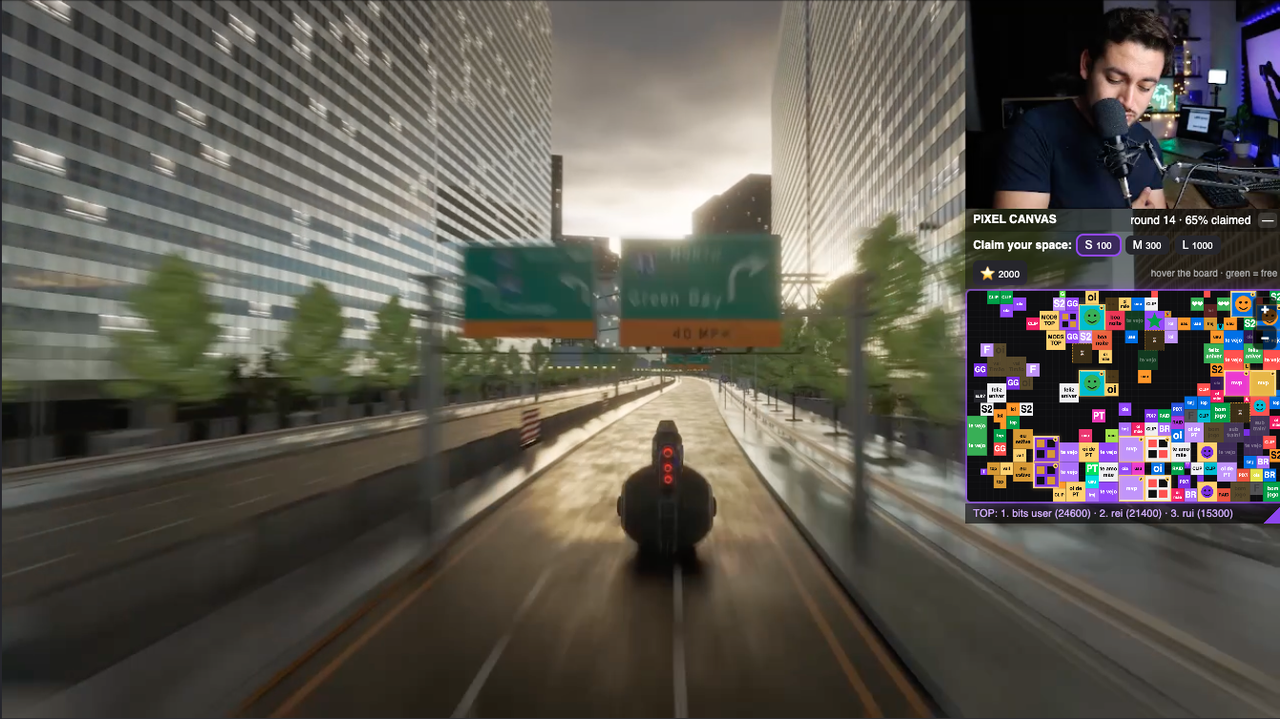


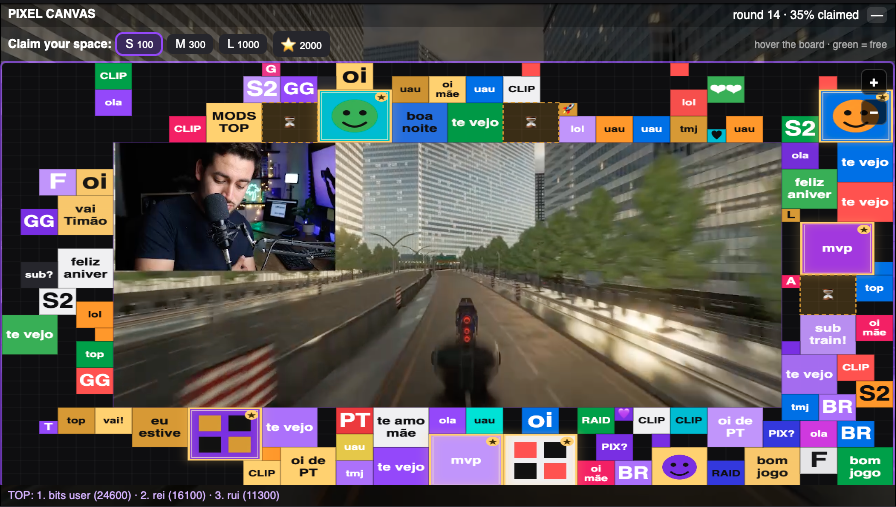

Chat uses Bits to claim blocks on your video — text, image or GIF, with their name on it. You set the Bits per block, approve what shows, keep 80%.
Install on Twitch Setup guideGreen = free. Red = taken.
Spot held for 90 s while you confirm.
Text can appear instantly. Images wait for approval.
A grid of 1,536 squares of 25 px. S = 1 square: a colour or one letter/emoji. M = 2×2: a short word or an image/GIF. L = 3×3. Premium = 4×4 with a pulsing gold frame — the VIP block.
Colour or 1 character on S; text (6 on M, 16 on L, 24 on Premium), colours and animation; images/GIFs from M up — PNG/JPG/GIF/WebP up to 8 MB (a Giphy GIF fits), resized to the block server-side, animation kept.
Conflict? Your block moves to the nearest free space — you never lose your block. On mobile: tap, drag, pinch to zoom. Landscape collapses to a pill.
Everything lives in Creator Dashboard → Extensions → My Extensions → Pixel Canvas → Configure. Changes apply live, no reload.
Per size, on a 10–10,000 Bits ladder. Minimums 10 / 30 / 100 / 300 — low on purpose so everyone joins in. Standard (20/50/200/500) and Big channel presets. You also choose which sizes are on (e.g. S only for a pixel-art mural).
You choose what may skip your approval: text (after the pre-filter; off by default), colour-only blocks (on). Images always wait.
Dark, light, gray or transparent.
6 modes, 5 anchors, adjustable size. Whole board (viewers drag/zoom) or a reduced board: bars offer only the rows/columns that fit, the floating box fewer squares at the same size. Gallery below.
Quick Actions → Pixel Canvas: approve, pause the board, new round.
Preset → layout → mods know the panel → explain in one sentence → shout out the first block.
3:2 board. Viewers can collapse the overlay any time and, in the floating box, drag it by its header. The streamer places and resizes the box live on their own channel page — the spot is saved for everyone.
A first barrier, not a moderator: it stops the obvious (links, hate, profanity, sexual, ads, brands, l33t — PT/EN/ES) before any Bits are used. Everything else is your call.
Never shown without your approval (Twitch §7.2). Hatched area until then.
The streamer (and mods) are the moderation: approve · reject · remove · approve all · pause the board · new round. One click each, inside the dashboard.
Twitch website (desktop and mobile web); native apps do not show overlays
Nothing. Twitch splits the Bits used 80/20 and includes your share in your Bits payout. No contract.
Affiliate or Partner channels only — Bits in extensions are a Twitch feature for monetised channels. On a channel without Bits the board shows but nobody can claim blocks; the moment Twitch enables Bits for the channel it just works, nothing to change.
Only if you want: frame (centre clear), thin bar, or a box viewers can collapse. Changes live.
Only what you choose. You can let text (after the pre-filter) and colour-only blocks go in on their own; images always need your click. You can remove any block at any time.
Press "New round": clean board, leaderboard kept, chat fills it again. "Board full!" makes a good clip.
No — Twitch Extension policy. The filter blocks brands and links; branded images should be rejected.
The area frees up. The extension does not refund Bits — hence the rules shown before confirming. Reject rule-breaking; consider approving the rest.
"Pause the board" in the panel. Board stays visible, no new blocks, anyone mid-confirmation completes.
On the Twitch website, yes (tap, drag, pinch). Native apps do not show extension overlays.
First one reserves for 90 s; the second is told before using Bits. Conflict at confirmation → block moves to the nearest free space.
For the round. A new round clears the board and deletes the images.
Twitch username, an opaque Twitch id, block content and Bits transaction ids. No emails, no billing data.
Yes. In Bits per block, untick the sizes you do not want. S only = a pixel-art mural (colours and letters, no images); M+ only = fewer, richer blocks.
Pick "board sized to the box" in the layout: a 40% box shows 18×12 squares at the same size as at 100%. In bars, the equivalent is fixed rows/columns.
Yes, up to 8 MB. The server shrinks it to 256 px and converts it to animated WebP (up to 60 frames) — viewers download ~100–300 KB, never the original.
Email support@pixelcanvas.cloud with the channel name and a screenshot. Twitch rule violations: report to Twitch too.
Coming soon — the extension is launching.
Want to be listed? Write to support@pixelcanvas.cloud.